Adjust Image Hue
Click, paste or drag and drop files to edit
Select an image file jpg, png, webp
Drag and drop
OR
How to adjust image hue online
Upload an image
Use the form above to load an image. Click the 'Upload image' button, copy and paste or drag and drop an image into the uploader.
Adjust
Drag the slider in the tool options tab to adjust the hue in the image.
Download or save
Export and download your edited image or save it to your account.
Learn More About Image Hue
On this page
1. About Image Hue
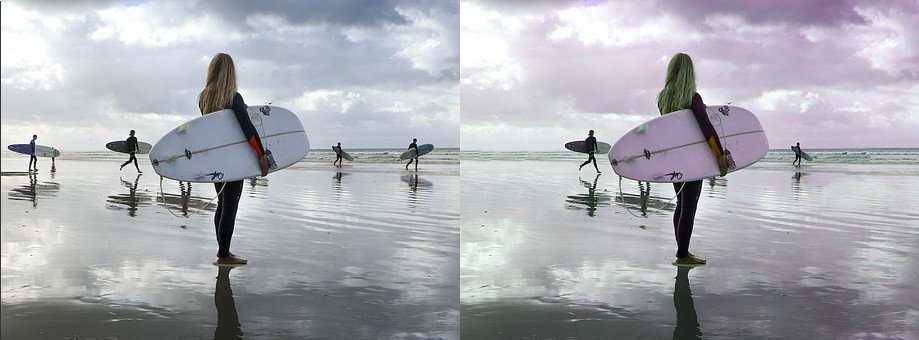
Hue refers to the color attribute of an image, representing the type of color perceived by the human eye. Adjusting the hue shifts the colors in the image along the color spectrum, changing the overall color appearance without affecting the brightness or saturation. This allows you to creatively modify the colors in your image while maintaining the original lightness and intensity.
Easily adjust the hue of your images online with the free online image and photo editor available at gifgit.com. Use the hue adjustment tool to change the colors in your image by simply dragging a slider to shift the hue values. Upload an image from your computer or use a sample image to try the hue tool.
2. Hue Adjustment Features
- Adjust the intensity of the hue effect using a slider.
- Preview the effect in real-time on your image.
- Reset the image to its original state if needed.
