Lens Blur Filter
Click, paste or drag and drop files to edit
Select an image file jpg, png, webp

Drag and drop
OR
How to use the lens blur filter
Upload an image
Use the form above to load an image. Click the 'Upload image' button, copy and paste or drag and drop an image into the uploader.
Adjust
Adjust the settings in the tool options bar to control the appearance of the filter.
Download or save
Export and download your edited image or save it to your account.
Learn More About
the Lens Blur Effect
On this page
1. About the Lens Blur Effect
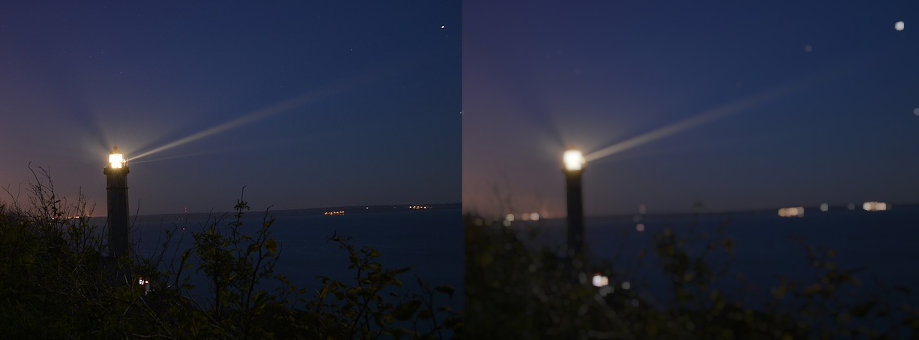
The lens blur effect simulates the shallow depth of field effect seen in photography, where the subject is in focus while the background is blurred. This effect can be used to draw attention to the main subject of your image and create a professional-looking photograph. Upload an image from your computer and apply the lens blur effect to achieve the desired focus and blur.
2. Lens Blur Effect Features
- Adjust the intensity of the lens blur effect using a slider.
- Preview the effect in real-time on your image.
- Reset the image to its original state if needed.
